
Turn your WhatsApp conversations (text or voice) into GitHub or GitLab issues (tickets) — instantly.
No more post-its and “we’ll do it later” after meetings. Post2Git turns your messages into clear, actionable tasks. Stay focused on your ideas — we handle the rest. Works right inside WhatsApp. No app to install.
✅ No install — open WhatsApp and send a message • ⏳ Processing in 30–60s with instant feedback
 GitHub
 GitLab
No admin access required — you connect only the repos you already have access to.
1/ Click Try → 2/ Send a message → 3/ Get your tickets.
Try with your own message on WhatsApp → open the chatbot
Create GitHub/GitLab issues directly from WhatsApp
Post2Git turns your WhatsApp messages (text or voice) into GitHub or GitLab issues. Ideal after a product meeting, on the go, or when you don’t have time to open GitHub. Send a message, the AI splits tasks and posts tickets to the right repo. You can create a GitHub issue from WhatsApp or create a GitLab ticket from WhatsApp in seconds.
How it works
1) Send your ideas on WhatsApp (text or voice)
Chat where you already work. Post2Git automatically transcribes your voice notes.
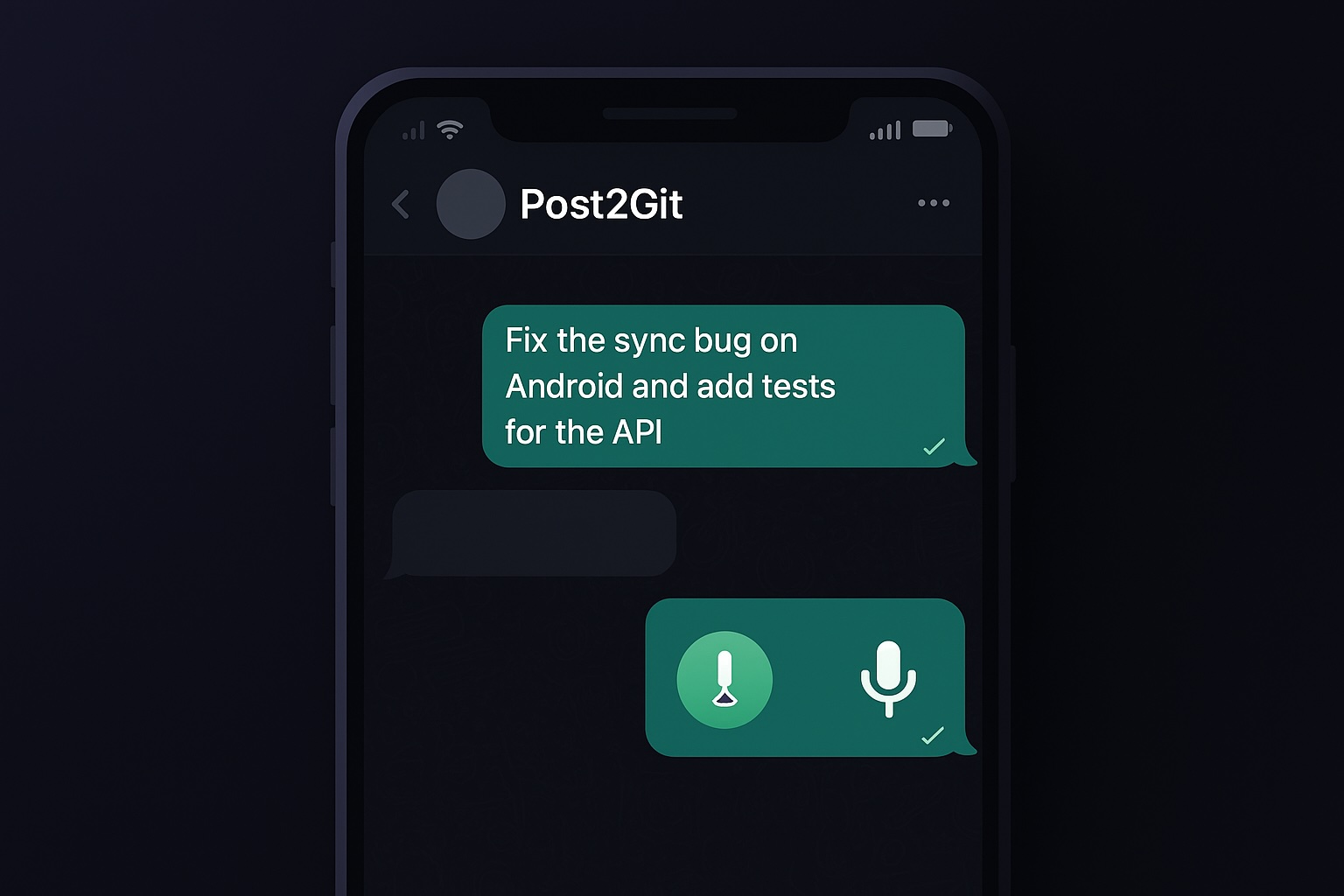
2) The AI splits and summarizes
Post2Git extracts tasks, clarifies them, suggests labels, and structures the ticket.
3) Tickets appear in GitHub or GitLab
Choose Validation mode (summary before creation) or Direct mode (instant creation). Creating a ticket usually takes 30 to 60 seconds, and you immediately see in WhatsApp that your message is being processed.
⏳ Instant processing indicator in WhatsApp.
Features
WhatsApp → Issues in 1 message
Say what you want to do, Post2Git creates your GitHub/GitLab tickets. Zero friction.
Text & voice notes
Send a voice note: Post2Git transcribes it, splits tasks, and creates tickets.
AI: task splitting, summaries, auto labels
The AI turns your conversations into clean tasks ready to prioritize.
Native GitHub & GitLab
Secure OAuth connection. Works with your existing repos on both platforms.
Edit without leaving WhatsApp
Add comments or tags to an existing ticket in a single line.
Ex : #123 +bug +urgent or #123 adding more context
Smart routing to the right repo
Optional feature: Post2Git automatically infers which repo to use, even if you have several.
Smart multilingual
Talk to the bot in EN, FR, ES, DE, IT, NL or PT, and create tickets in another language if needed. In Solo and Team, ticket language can be set per repo.
Attachments
Add photos, videos, or files (up to 10 MB) to your tickets and comments directly from WhatsApp. Post2Git forwards them to GitHub/GitLab without storing them.
Native GitHub & GitLab integration
Post2Git connects via OAuth to GitHub and GitLab, with no admin access and no shared passwords.
Create GitHub issues or GitLab tickets without leaving WhatsApp.
Use as many repos as you want, across both platforms in parallel.
Tickets are created in the right repo, with optional smart routing.
What our users say
Who is it for?
Post2Git is built for people who want to capture and execute decisions without wasting time after meetings.
Dev teams in SMBs / mid-market
You leave meetings with 10 actions not captured. Post2Git turns informal chats into clear issues you can assign and prioritize — with no extra effort.
Product Managers & Project Leads
You juggle between WhatsApp, Notion, and your issues. Send decisions and backlog hot on WhatsApp — Post2Git handles structure and tracking.
CTOs, Tech Leads & multi-client freelancers
You work across multiple client repos. Connect GitHub and GitLab in parallel and let the bot route tasks to the right repo.
Use cases
Common searches: WhatsApp to GitHub issues • WhatsApp to GitLab issues.
After a product meeting
Send decisions and to-dos right after the meeting on WhatsApp. Post2Git creates issues ready to prioritize.
Bugs from the field
A photo, a video, a quick description → a clear ticket in the right repo, with no context lost.
Internal team chats
Daily standups, support, or dev chat on WhatsApp: Post2Git captures decisions and creates tickets effortlessly as you talk.
Ideas on the go
Capture an idea in 10 seconds, via text or voice. The AI turns it into an actionable task as soon as you’re free.
Simple pricing for product & dev teams
Prices excl. tax. VAT added at checkout depending on your country. Cancel anytime via WhatsApp.
✅ GDPR compliant • EU data • Encrypted tokens • Delete anytime
Free
For a quick POC
- 10 tickets created / month
- Enough for 1–2 meetings per week.
- 1 repo
- 1 user
- Basic AI summary + auto labels
- Comments & tags on existing tickets
- Attachments up to 10 MB (forwarded to GitHub/GitLab)
- Text & voice notes
- Multilingual bot (7 languages)
- 1 global ticket language
Solo
To capture all your personal / freelance tasks
- Unlimited tickets (standard product/team usage)
- Unlimited repos (reasonable use)
- 1 user
- Advanced AI: splitting, summaries, rewriting
- Auto labels + manual editing
- Comments on existing tickets
- Choose direct creation or validation
- Text & voice notes
- Multilingual bot (7 languages)
- Ticket language per repo
- Attachments up to 10 MB (forwarded to GitHub/GitLab)
Team
To align the team without losing actions
- Unlimited tickets (standard product/team usage)
- Unlimited repos (reasonable use)
- Up to 10 users
- Advanced AI: splitting, summaries, rewriting
- Auto labels + manual editing
- Comments on existing tickets
- Choose direct creation or validation
- Text & voice notes
- Multilingual bot (7 languages)
- Ticket language per repo
- Attachments up to 10 MB (forwarded to GitHub/GitLab)
- Team features
Security & privacy
Secure connection
GitHub/GitLab connection via OAuth. Tokens are encrypted before storage. No passwords are shared.
Your data stays yours
We don’t train the AI on your data and never resell your information. Account data is hosted in the EU.
You stay in control
- You can delete your data or disconnect your accounts at any time.
- Automatic deletion 30 days after account closure.
GDPR compliant — details in our privacy policy.
FAQ
You chat with Post2Git on WhatsApp. The AI summarizes and splits your messages (text or voice) into tasks, then creates tickets in GitHub or GitLab (Direct mode) or asks for validation (Validation mode).
On average 30 to 60 seconds depending on load. As soon as you send a message, WhatsApp shows a processing indicator (⏳) and then a green check (✅) when the ticket is created.
No. Everything happens in WhatsApp.
Yes. You can send a voice note: Post2Git transcribes it automatically to create or update a ticket.
Yes. Secure OAuth connection. You pick your repos, Post2Git creates issues and updates existing tickets.
Here are the official docs: GitHub Issues • GitLab Issues.
No. No admin access required: you connect only repos you already have access to.
Yes. You can connect both platforms at once and choose, repo by repo, where to create tickets. Handy if you work across multiple clients or environments.
Yes. You can enable smart routing: the bot analyzes your message and creates the ticket in the most relevant repo. You always stay in control and can change the repo anytime.
No. Post2Git complements GitHub/GitLab by capturing tasks at the right moment, straight from your WhatsApp conversations.
You can easily correct it, and automatic routing is optional. You always control the target repo.
Yes. Example: #123 +bug +urgent or #123 voici un commentaire.
Yes. Post2Git supports 7 languages for the bot and tickets: EN, FR, ES, DE, IT, NL, PT. You choose the bot language and ticket language. In Solo and Team, ticket language can be set per repo.
Yes. WhatsApp sends each media separately, Post2Git automatically groups them into the ticket and forwards them to GitHub/GitLab (up to 10 MB per file).
Profiles and settings on Firestore (EU). Processing on Google Cloud. OAuth tokens encrypted. Attachments (up to 10 MB) are forwarded and added to GitHub/GitLab tickets when possible, with no storage on Post2Git.
No. Content is used only for processing (summary/splitting) and not for training.
Yes. The Free plan is available immediately for testing on one project. You can upgrade anytime via /upgrade directly in WhatsApp.
Reasonable use = standard project team use (no massive automation).
You can email us or ask for help in WhatsApp with /help. We reply fast.
Everything is done via WhatsApp: /upgrade to subscribe, /portal to manage/cancel.
Not yet, but planned if demand is strong.